One toolboxfor everyimage job.
Translate the text baked into your images, stamp on your watermark, and ship. All in the browser — no design software, no back-and-forth.
Free to try · No sign-up · Files auto-deleted after 1 hour
Into
3 text blocks detected
Click any highlighted box on the image to jump straight to that line.
The toolbox
Everything you do to an image, in one place
Four tools are live today. The rest are landing over the next few months — open any card to get pinged when it ships.
Image Translate
Detects every text block in your image, translates it, cleans the original away and re-typesets the new copy in the same spot.
- 32 languages
- Layout-preserving inpainting
- Editable text blocks
- Batches of 50
Add Watermark
Text or logo watermarks with full control of position, opacity, rotation and tiling — applied across a whole batch in one go.
- Text or logo
- Nine-grid or free drag
- Tile across the frame
- Batch export
Image Splitter
Cuts a picture into equal tiles — a 3×3 profile grid, a banner row, or the slides of a seamless carousel — and hands them back in posting order.
- 3×3, 3×2 and 3×1
- Seamless carousels
- Full-resolution tiles
- Posting order kept
Grid Maker
Rules a reference photo with a grid you control — rows, columns, line colour and thickness — for transferring proportions by hand. Nothing is stamped on the image.
- 3×3 up to 8×8
- Line colour and weight
- No watermark
- Print-ready export
Replace Background
Automatic cut-out, then a colour, gradient, texture, your own picture or an AI-painted scene behind the subject — at full resolution, in your browser.
- Hair-level edges
- ID photo colours
- Textures and gradients
- AI scenes
Remove Background
One-click subject cut-out with proper edge handling for hair and fur, plus solid-colour or transparent backdrops.
- Hair-level edges
- Transparent PNG
- Swap in a colour
- Batch mode
Blur Background
The subject is cut out and put back on a blurred copy of the picture — a depth-of-field look with no halo around the edges, at full resolution.
- Portrait-mode look
- Adjustable strength
- No edge halo
- Full resolution
Generate Background
Type the background you want and AI paints it behind the cut-out subject, which stays as it is. Every message is a new version to pick from.
- Any scene in words
- Subject stays put
- Versions to pick from
- Mark an area to change
Format Convert
PNG, JPG, WebP, AVIF, PDF — in any direction.
Notify meRemove Watermark
Paint out a watermark and rebuild what was behind it.
Notify meCompress
Smaller files that still look right.
Notify meUpscale
Make small images big without the mush.
Notify meCrop & Resize
Every aspect ratio the platforms ask for.
Notify meExtract Text
Pull the words out of an image as plain text.
Notify meBlur & Redact
Hide faces, plates and anything private.
Notify meImage translation
Translate what's inside the picture
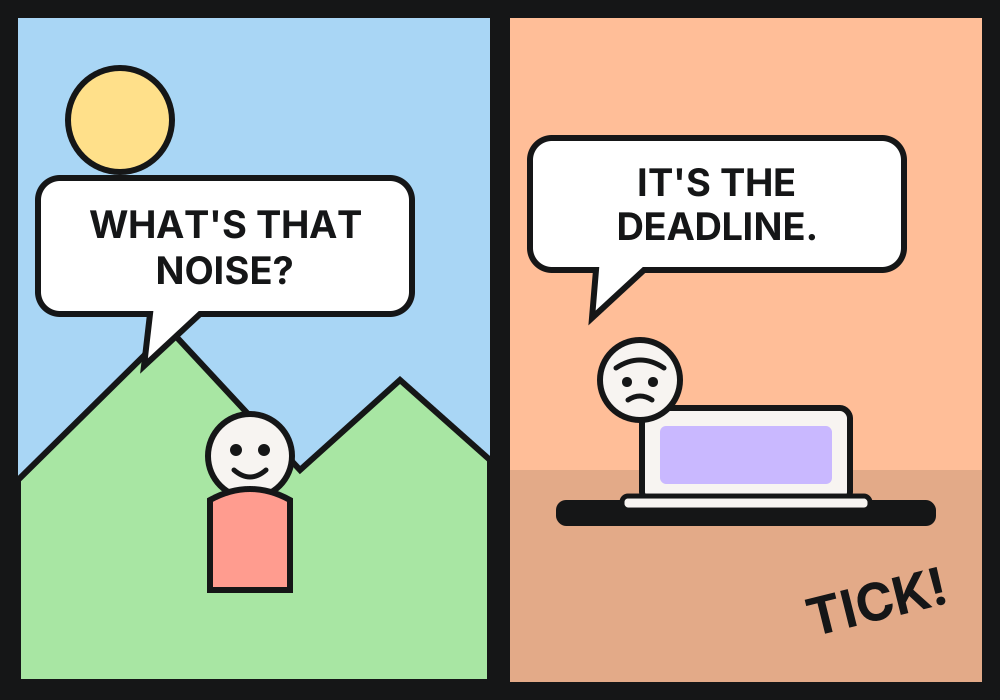
Upload a poster, a product listing, a screenshot or a comic page. We find every text block, translate it, erase the original cleanly, and re-typeset the new copy in the same place.
- Layout preservedThe original text is painted out, not hidden under a white box.
- Every block editableDon't like a line? Click it and rewrite it. Nothing is locked down.
- Style carried overSize, weight, colour and alignment follow the original automatically.
- Batch of 50Drop a whole folder in, take a zip out.
32 languages, including
English · 简体中文 · 繁體中文 · 日本語 · 한국어 · Español · Français · Deutsch · Português · Русский · العربية · ไทย · Tiếng Việt


Position
Apply to every image
24 images
Watermark
Stamp your mark. Keep the credit.
Text or logo, one image or two hundred. Place it on a nine-grid, drag it exactly where you want, or tile it across the whole frame so it can't be cropped away.
- Text or logoType it, or drop in a transparent PNG. Full control of colour and opacity.
- Tile modeRepeat across the frame at any angle and spacing.
- Drag to placeNine-grid presets to start, then nudge it pixel by pixel.
- Batch exportOne preset across a whole set, downloaded as a zip.
How it works
Three steps. No learning curve.
Drop your image
Drag it in, paste from the clipboard, or pick a file. PNG, JPG, WebP up to 10 MB.
Tune it
Pick your languages, or dial in your watermark. The preview updates as you go.
Take it away
One image or a zip of fifty. Original resolution, and never our logo on your work.
Who it's for
Built for people who ship a lot of images
Cross-border sellers
Localise Amazon, Shopee and TikTok listing images without booking a designer.
Social teams
One creative, ten markets, same afternoon.
Comic & manga readers
Speech bubbles translated, artwork untouched.
Photographers
Watermark a whole shoot before the preview gallery goes out.
Support & docs
Translate the screenshots inside your help centre, not just the words around them.
Agencies
Client drafts that are watermarked by default, every time.
Pricing
Start free. Upgrade when it pays for itself.
Everything that runs in your browser is free forever. Credits only pay for the AI work.
Free
100 credits every day
- 100 credits a day, refilled at 00:00 UTC
- 100 credits free to try before signing in
- Every browser-side tool free: watermark, splitter, grid maker, local erase
- Up to 10 MB per image
- Images auto-deleted after processing
Pro
More credits, priority AI
- Monthly credit bundle
- Priority AI queue
- Batch processing
- Email support
Team
Shared credits for a team
- Shared credit pool
- Seats and roles
- Usage reports
- Invoicing
Every plan: files auto-deleted after one hour, no watermark of ours on your exports.
Prices in credits are the same for everyone; paid plans arrive later.
FAQ
Questions people actually ask
Credits pay for the AI work behind a picture: 100 credits is one AI version, a cut-out is 50, translating a picture is 40 plus 10 per extra language, reading text is 10. Everything that runs in your browser — watermarks, splitting, grids, local erase, editing and export — is free.
Every new visitor gets 100 credits to try. Sign in with Google and you get 100 credits every day, refilled at 00:00 UTC. Paid plans are coming.
They're processed and then deleted an hour later, automatically. We don't keep them, we don't train on them, and we don't hand them to anyone else.
That's the whole point. We erase the original text from the background rather than pasting a white rectangle over it, then set the new text in a matching size, weight and colour. If a line comes out wrong you can click it and edit it directly.
PNG, JPG, WebP and GIF go in; PNG, JPG and WebP come out. HEIC support is on the list.
Never — not even on the free plan. The only watermark on your image is the one you put there.
Yes. Drop a set of pictures in at once — each one is charged its own credits — and download the results as a zip.
Remove Background and Format Convert are next, then Remove Watermark and Compress. Open any tool card and leave your email to hear about it first.
Got an image that needs fixing?
Four tools, no sign-up, and your files are gone in an hour. Take it for a spin.